

Automate Complex
Shipping Decisions, at Scale
Automate Complex
Shipping Decisions, at Scale
Configure smart rules to choose the right carrier, prioritize by cost or speed, and balance shipping load — no manual work needed.

Choosing the Best Carrier Shouldn’t Be a Guessing Game
Selecting the right carrier takes too much time.
Manual decision-making is inconsistent & inefficient.
Enterprise-scale shipping needs logic, not luck.
Shipping Logic Tailored to Your Operation
OTO’s shipping automation software gives enterprises full control to define how orders are assigned, prioritized, and distributed across carriers — using over 50 customizable parameters.
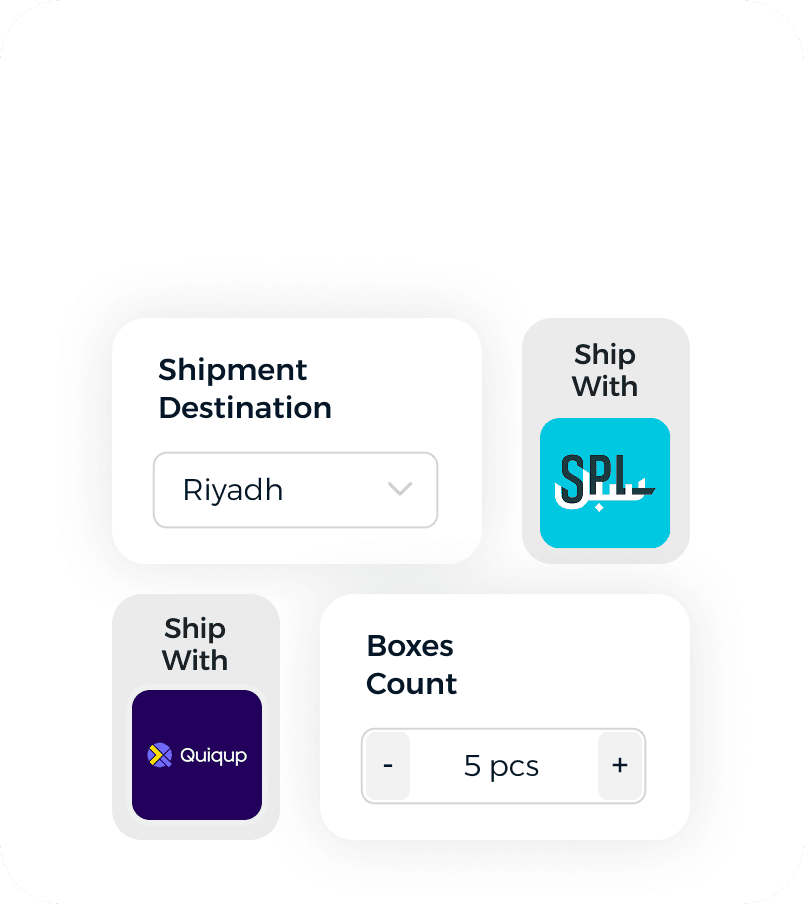
Conditional Carrier Assignment
Define rules using over 50 order parameters like destination, value, SLA, and product type.
✅ Automate the best shipping choice every time.
Conditional Carrier Assignment
Define rules using over 50 order parameters like destination, value, SLA, and product type.
✅ Automate the best shipping choice every time.
Conditional Carrier Assignment
Define rules using over 50 order parameters like destination, value, SLA, and product type.
✅ Automate the best shipping choice every time.
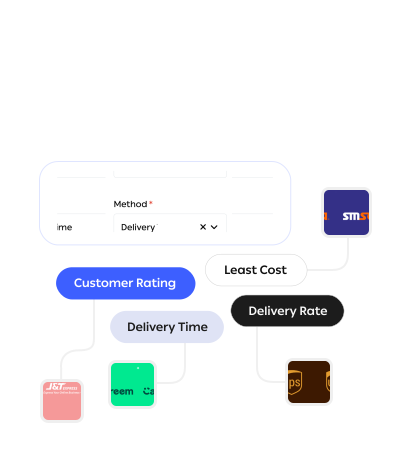
Priority-Based Carrier Selection
Rank carriers based on your preferences, fastest, cheapest, most reliable.
✅ Optimize for cost, speed, or buyer experience.
Priority-Based Carrier Selection
Rank carriers based on your preferences, fastest, cheapest, most reliable.
✅ Optimize for cost, speed, or buyer experience.
Priority-Based Carrier Selection
Rank carriers based on your preferences, fastest, cheapest, most reliable.
✅ Optimize for cost, speed, or buyer experience.
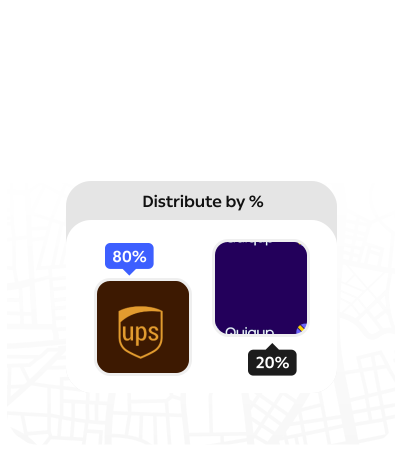
Carrier Distribution Balancing
Distribute orders between carriers based on method or volume caps.
✅ Manage load while preserving partnerships.
Carrier Distribution Balancing
Distribute orders between carriers based on method or volume caps.
✅ Manage load while preserving partnerships.
Carrier Distribution Balancing
Distribute orders between carriers based on method or volume caps.
✅ Manage load while preserving partnerships.
Let Your Rules Handle the Complexity — Automatically
Built for enterprise-scale logic. No manual effort required.
Let Your Rules Handle the Complexity — Automatically
Built for enterprise-scale logic. No manual effort required.
Let Your Rules Handle the Complexity — Automatically
Built for enterprise-scale logic. No manual effort required.
Frequently Asked Questions
Everything You Need to Know Before Getting Started
Why is OTO’s shipping automation software the best choice for modern businesses?
OTO’s shipping automation software is built to simplify complex logistics for businesses of all sizes. From order import to carrier selection, label generation, tracking, and returns — every step is automated, reducing manual work and fulfillment errors. What sets OTO apart is its smart rules engine that allows you to define how, when, and where each order is shipped — based on location, weight, carrier SLA, or custom business rules. Combined with integrations to 450+ shipping partners and leading sales platforms, OTO ensures fast, reliable, and cost-effective shipping operations. With full control from a single dashboard and detailed analytics, OTO gives you everything you need to automate and scale your shipping with confidence.
Can I give priority to certain carriers?
What happens if a carrier hits capacity or fails?
Is this system configurable by my team?
Why is OTO’s shipping automation software the best choice for modern businesses?
OTO’s shipping automation software is built to simplify complex logistics for businesses of all sizes. From order import to carrier selection, label generation, tracking, and returns — every step is automated, reducing manual work and fulfillment errors. What sets OTO apart is its smart rules engine that allows you to define how, when, and where each order is shipped — based on location, weight, carrier SLA, or custom business rules. Combined with integrations to 450+ shipping partners and leading sales platforms, OTO ensures fast, reliable, and cost-effective shipping operations. With full control from a single dashboard and detailed analytics, OTO gives you everything you need to automate and scale your shipping with confidence.
Can I give priority to certain carriers?
What happens if a carrier hits capacity or fails?
Is this system configurable by my team?
Why is OTO’s shipping automation software the best choice for modern businesses?
OTO’s shipping automation software is built to simplify complex logistics for businesses of all sizes. From order import to carrier selection, label generation, tracking, and returns — every step is automated, reducing manual work and fulfillment errors. What sets OTO apart is its smart rules engine that allows you to define how, when, and where each order is shipped — based on location, weight, carrier SLA, or custom business rules. Combined with integrations to 450+ shipping partners and leading sales platforms, OTO ensures fast, reliable, and cost-effective shipping operations. With full control from a single dashboard and detailed analytics, OTO gives you everything you need to automate and scale your shipping with confidence.