400+ Carrier Integrations,

400+ Carrier Integrations,

Ready Out of the Box

Book shipments, print labels, and track deliveries without managing a single API - all from OTO’s multi-carrier shipping software.

App screen
App screen
App screen
App screen
App screen
App screen
App screen
App screen
App screen
App screen
App screen
App screen
App screen
App screen
App screen
App screen

Integrating Each Carrier Manually Takes Too Long and Costs Too Much

Every carrier uses different rules, labels, and formats.

Every carrier uses different rules, labels, and formats.

Every carrier uses different rules, labels, and formats.

Technical work slows your operations and adds cost.

Technical work slows your operations and adds cost.

Technical work slows your operations and adds cost.

Outdated APIs or changes break fulfillment workflows.

Outdated APIs or changes break fulfillment workflows.

Outdated APIs or changes break fulfillment workflows.

One Dashboard to Simplify and Save on Every Shipment

OTO gives you reliable, standardized access to 400+ carriers with up-to-date maintenance, no manual setup, and all the functionality you need to ship efficiently.
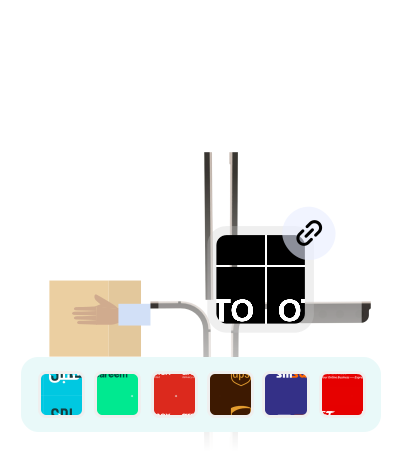
Standardized Shipping Integrations

We normalize statuses, addresses, shipping types, and label formats across all carriers.

✅ Run smoothly without changing your workflow.

Standardized Shipping Integrations

We normalize statuses, addresses, shipping types, and label formats across all carriers.

✅ Run smoothly without changing your workflow.

Standardized Shipping Integrations

We normalize statuses, addresses, shipping types, and label formats across all carriers.

✅ Run smoothly without changing your workflow.

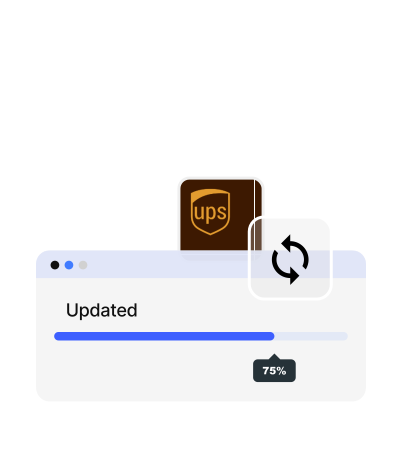
Always Up-to-Date and Fully Synced

We maintain every carrier integration with the latest updates.

✅ No API breaks. No outdated setups.

Always Up-to-Date and Fully Synced

We maintain every carrier integration with the latest updates.

✅ No API breaks. No outdated setups.

Always Up-to-Date and Fully Synced

We maintain every carrier integration with the latest updates.

✅ No API breaks. No outdated setups.

Full Functionality for Every Carrier

Access all available carrier features - from label printing to tracking and cancellation.

✅ Unlock more value from every carrier connection.

Full Functionality for Every Carrier

Access all available carrier features - from label printing to tracking and cancellation.

✅ Unlock more value from every carrier connection.

Full Functionality for Every Carrier

Access all available carrier features - from label printing to tracking and cancellation.

✅ Unlock more value from every carrier connection.

One Integration. 400+ Carriers. Zero Stress.

No coding. No carrier paperwork. Ready on day one.

One Integration. 400+ Carriers. Zero Stress.

No coding. No carrier paperwork. Ready on day one.

One Integration. 400+ Carriers. Zero Stress.

No coding. No carrier paperwork. Ready on day one.

Frequently Asked Questions

Everything You Need to Know Before Getting Started

Do I need special hardware to use OTO PACK?

No. OTO uses built-in camera scanning to run on smartphones and tablets — Android or iOS. No special scanners or terminals required. Also, OTO PACK can run on handheld devices like Honeywell and Zebra with embedded scanners for better efficiency.

How long does it take to set up OTO PACK?
Can OTO PACK handle high order volumes?
Can I switch between carriers easily?
Do I need development resources to set this up?
Why is OTO the best multi-carrier shipping software for businesses?
Do I need special hardware to use OTO PACK?

No. OTO uses built-in camera scanning to run on smartphones and tablets — Android or iOS. No special scanners or terminals required. Also, OTO PACK can run on handheld devices like Honeywell and Zebra with embedded scanners for better efficiency.

How long does it take to set up OTO PACK?
Can OTO PACK handle high order volumes?
Can I switch between carriers easily?
Do I need development resources to set this up?
Why is OTO the best multi-carrier shipping software for businesses?
Do I need special hardware to use OTO PACK?

No. OTO uses built-in camera scanning to run on smartphones and tablets — Android or iOS. No special scanners or terminals required. Also, OTO PACK can run on handheld devices like Honeywell and Zebra with embedded scanners for better efficiency.

How long does it take to set up OTO PACK?
Can OTO PACK handle high order volumes?
Can I switch between carriers easily?
Do I need development resources to set this up?
Why is OTO the best multi-carrier shipping software for businesses?